Enterprise · Saint-Gobain SEFPRO · Case study
PRISM
PRISM: Platform for Requests, Issues, Support & Maintenance
Every request, issue and fix in one place.
An internal ticketing and work-planning tool for the plant's IT and application-support team. Requesters raise tickets, engineers do the work and plan their day against it, and the team lead watches the load and steps in when work needs a new owner. Built and deployed for Saint-Gobain SEFPRO.
- Role
- Full Stack Developer (design, build, deploy)
- When
- May – Aug 2026
- Stack
- React
- Vite
- Node.js
- Express
- Prisma
- PostgreSQL
- JWT
- PWA
- Electron
- Private repo · walkthrough on request
01 · Context
The problem
Plant support work arrived by email, phone and corridor conversation. Nobody could say what had been asked for and where it stood, who on the team was overloaded today, or whether work was delivered on time.
02 · Solution
The approach
One tool for the whole loop. A requester raises a ticket through a short guided form, the catalog routes it to the right team, and the assigned engineer acknowledges it with an estimate and plans it into their day. Completing it hands it back to the requester to validate and rate. The lead sees the queue, the team's load and anything that needs a new owner.
03 · The product
Screens from the app
Select any screen to view it full size in a new tab.
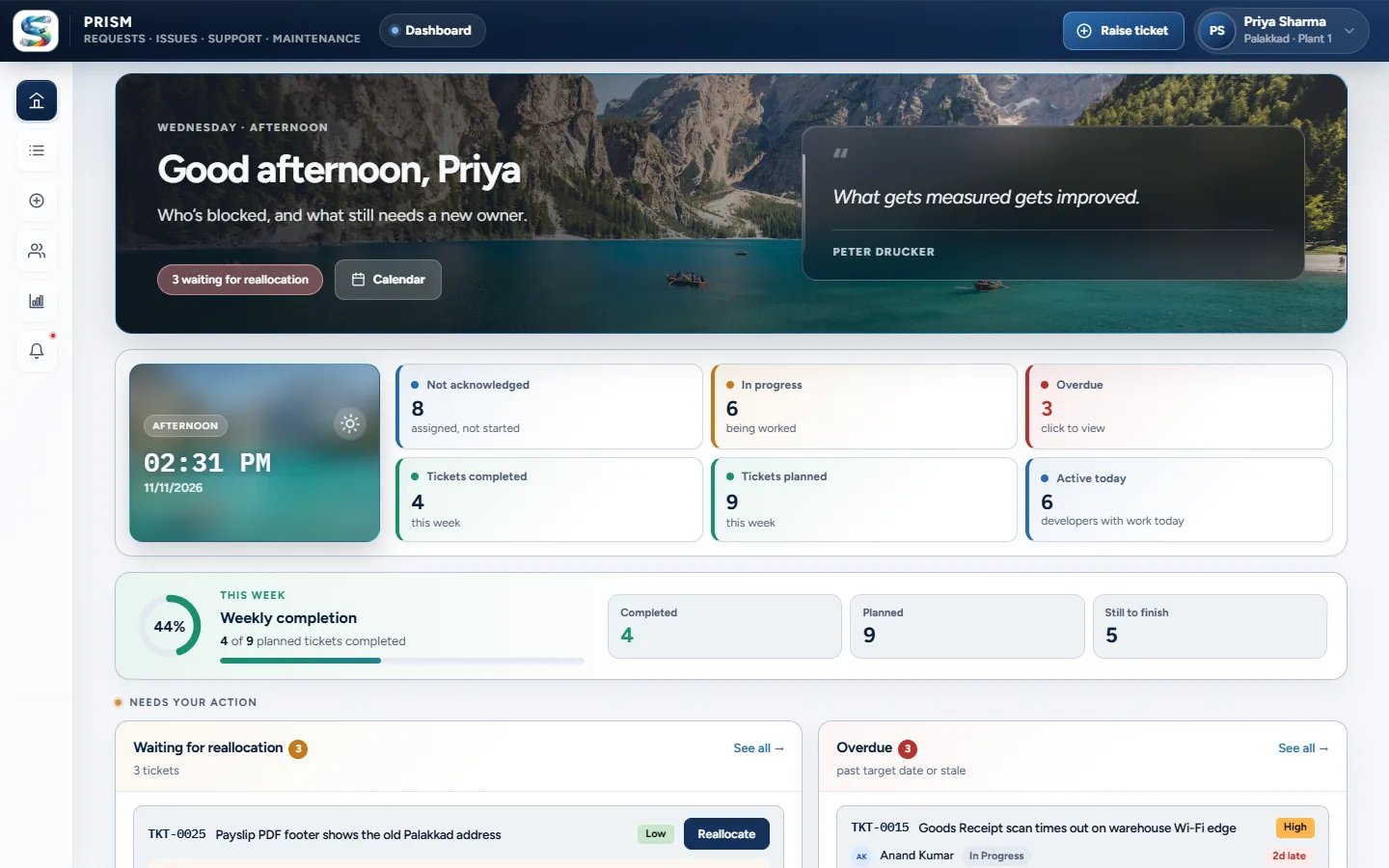 (opens full size in a new tab)
Lead dashboard: the queue, overdue work and what needs a new owner 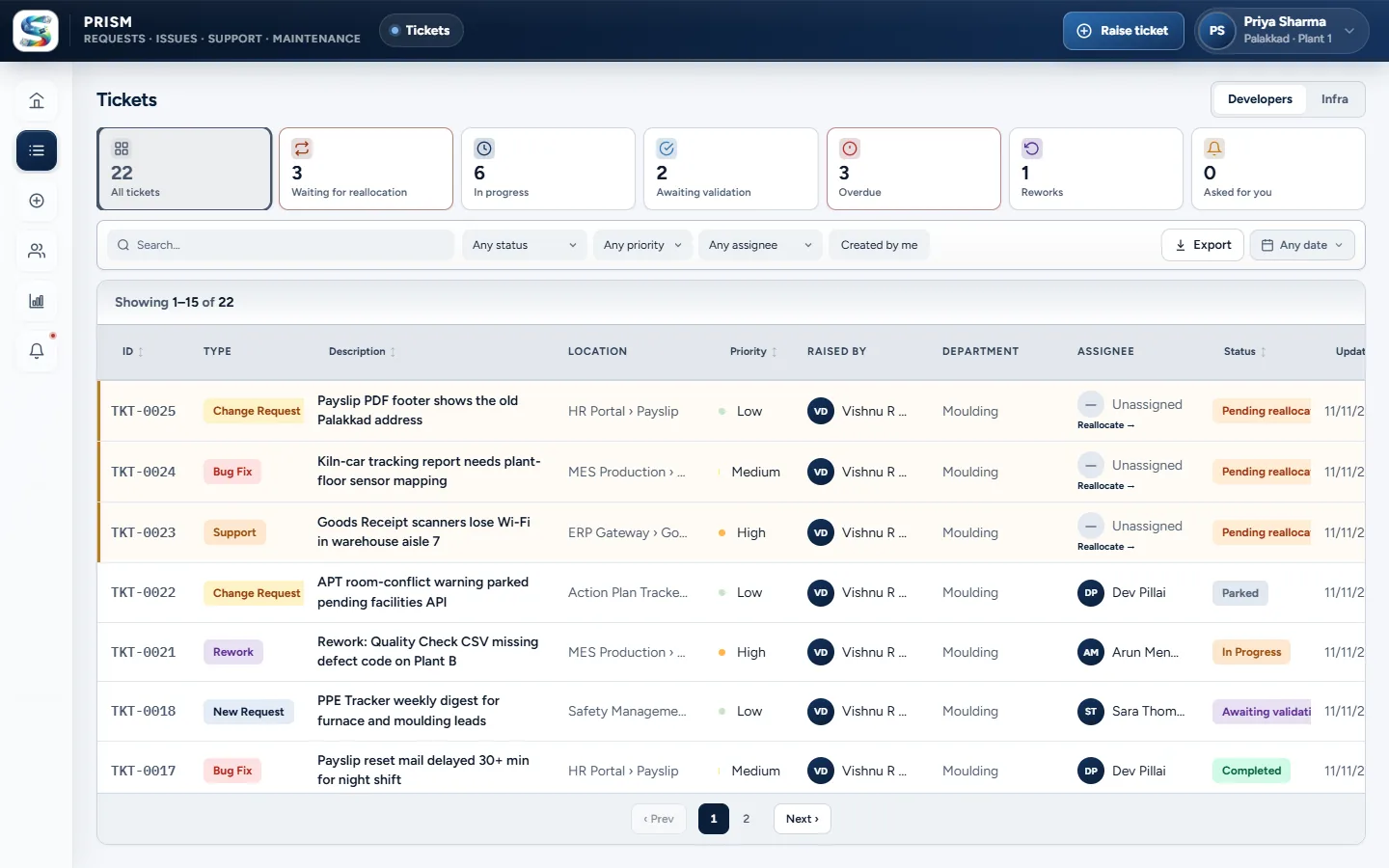 (opens full size in a new tab)
Tickets: filter by status, priority, assignee and date 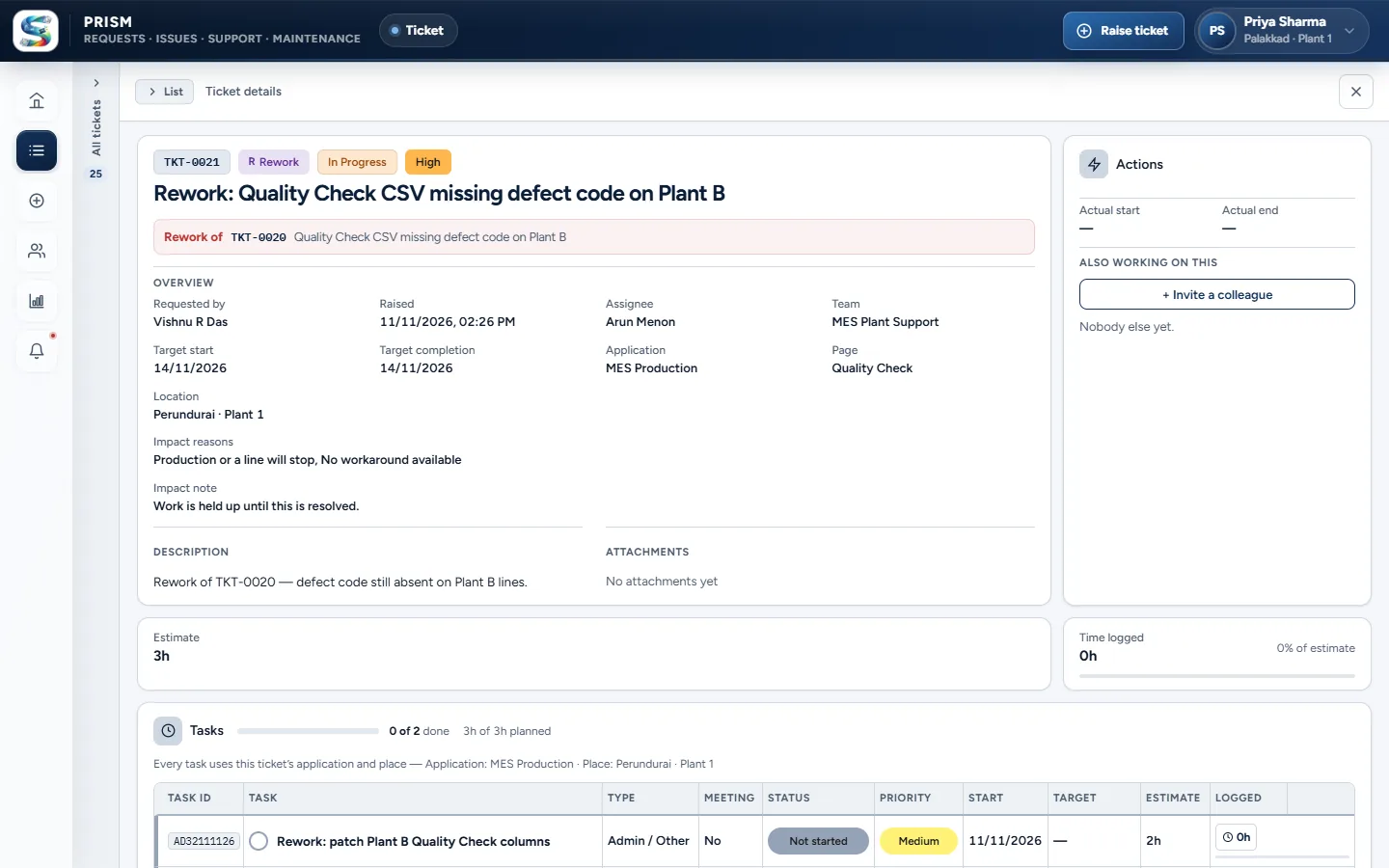 (opens full size in a new tab)
Ticket detail: overview, estimate, time logged and its tasks 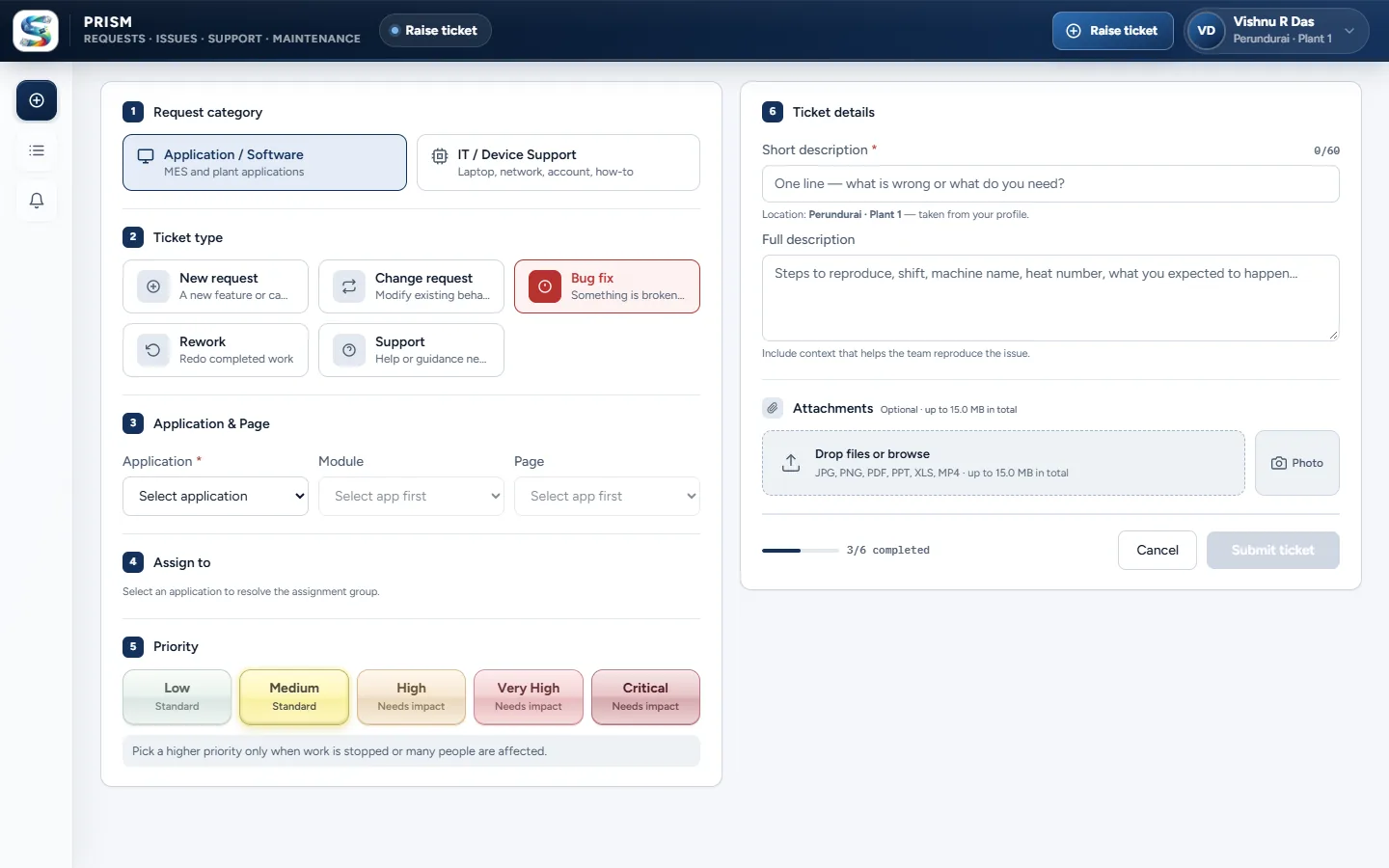 (opens full size in a new tab)
Raising a ticket: a guided form in six steps 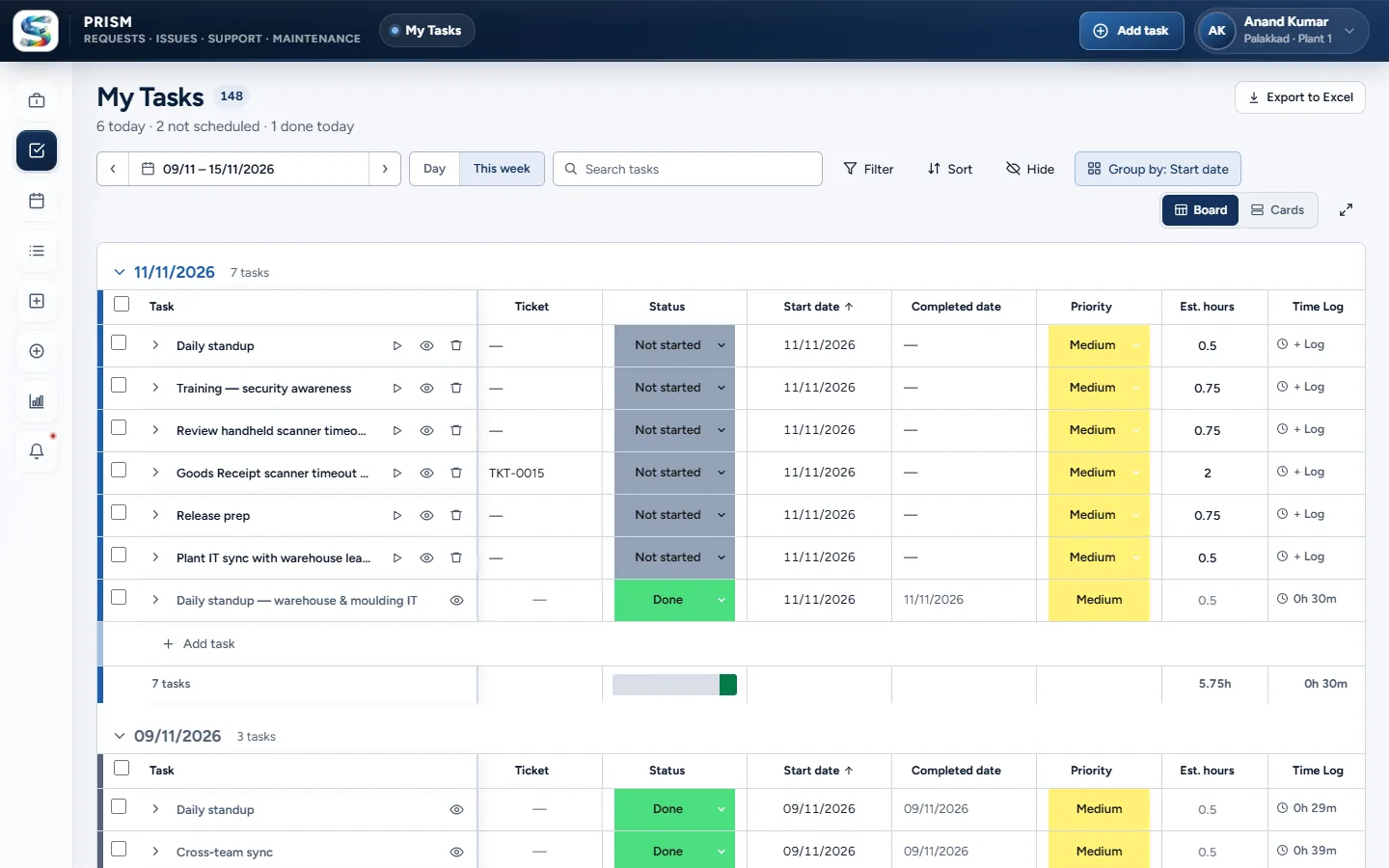 (opens full size in a new tab)
My Tasks: the week as a board, with status and time logs 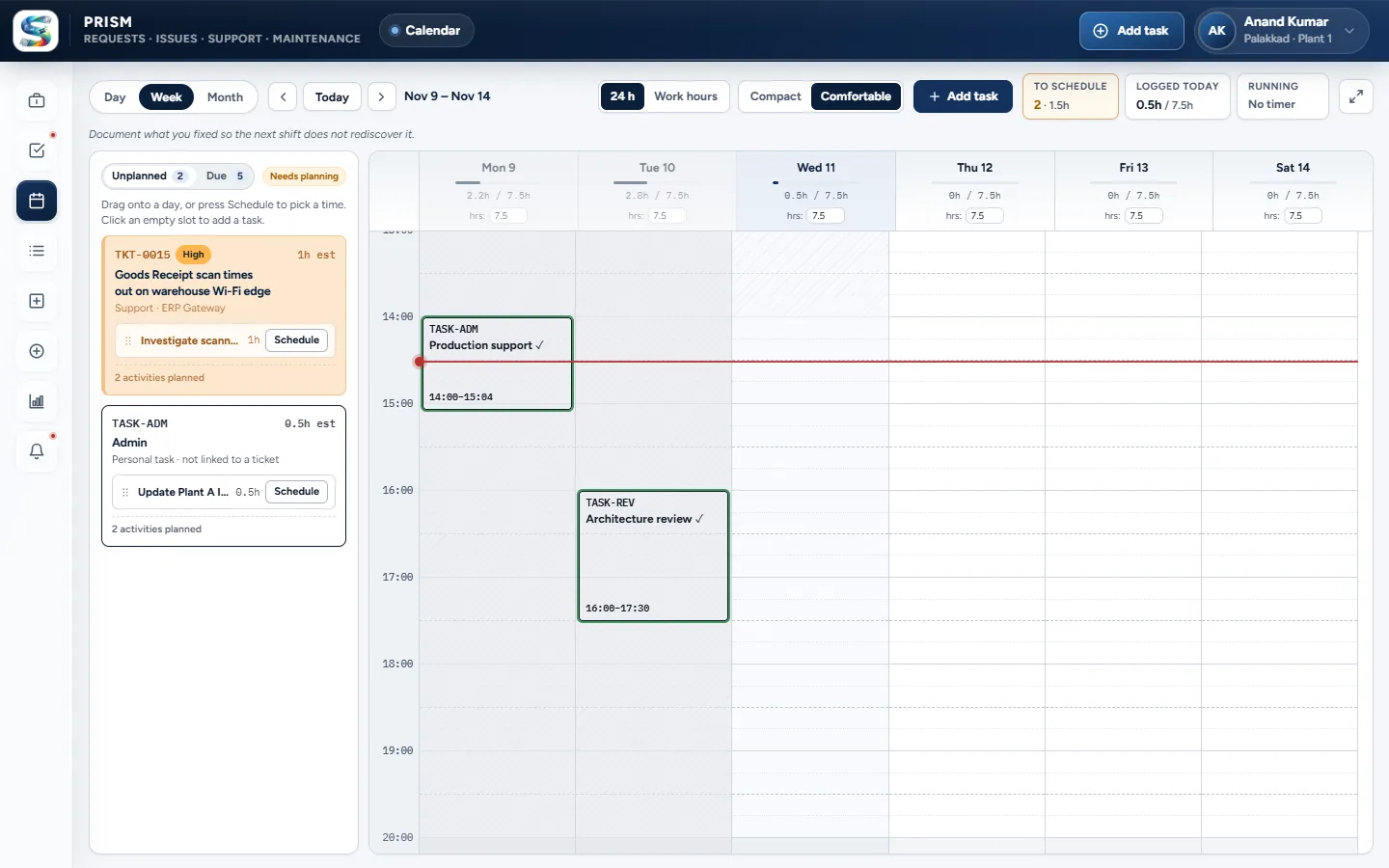 (opens full size in a new tab)
Planning calendar: drag unplanned work into the day 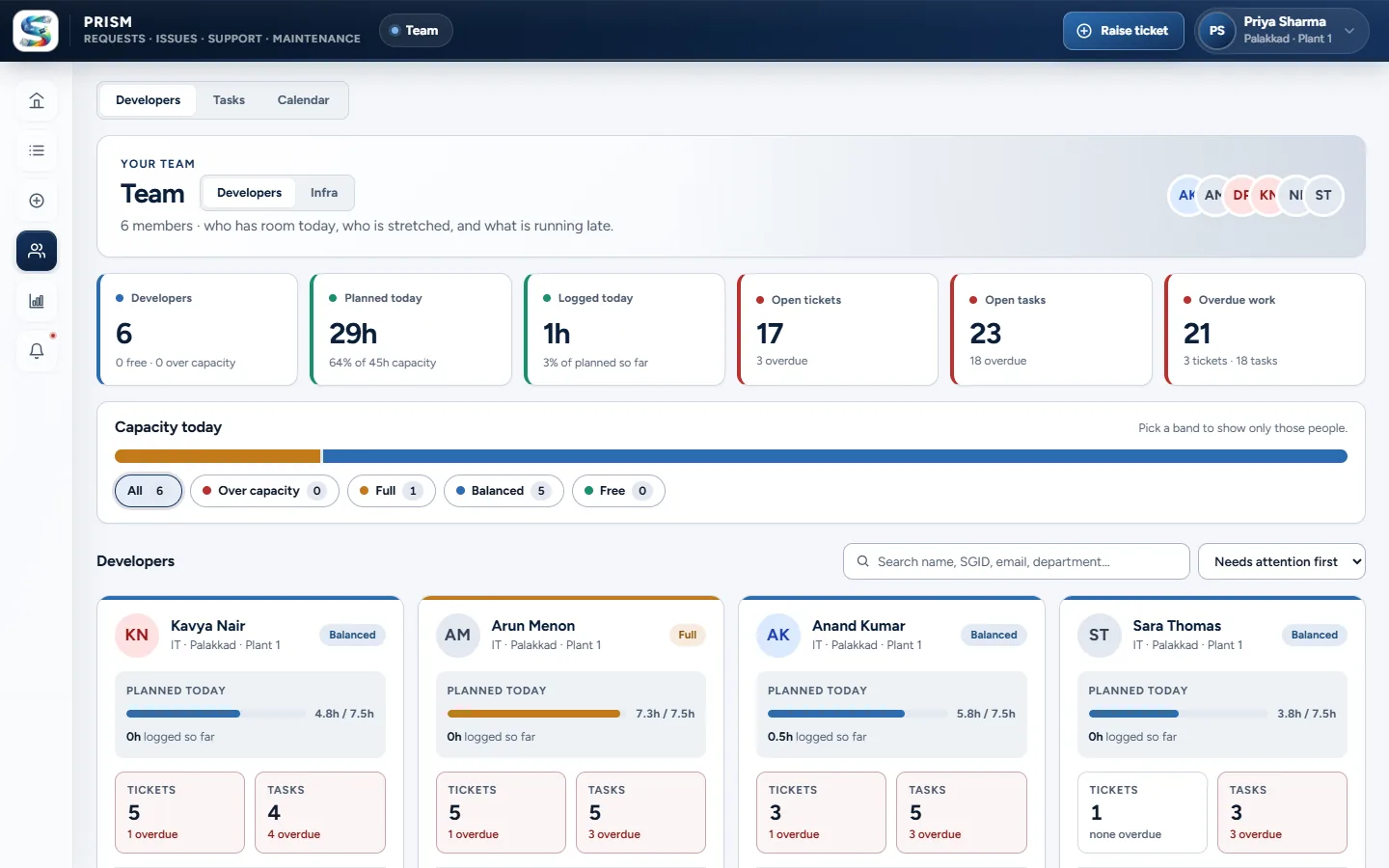 (opens full size in a new tab)
Team workload: who has room today and who is stretched 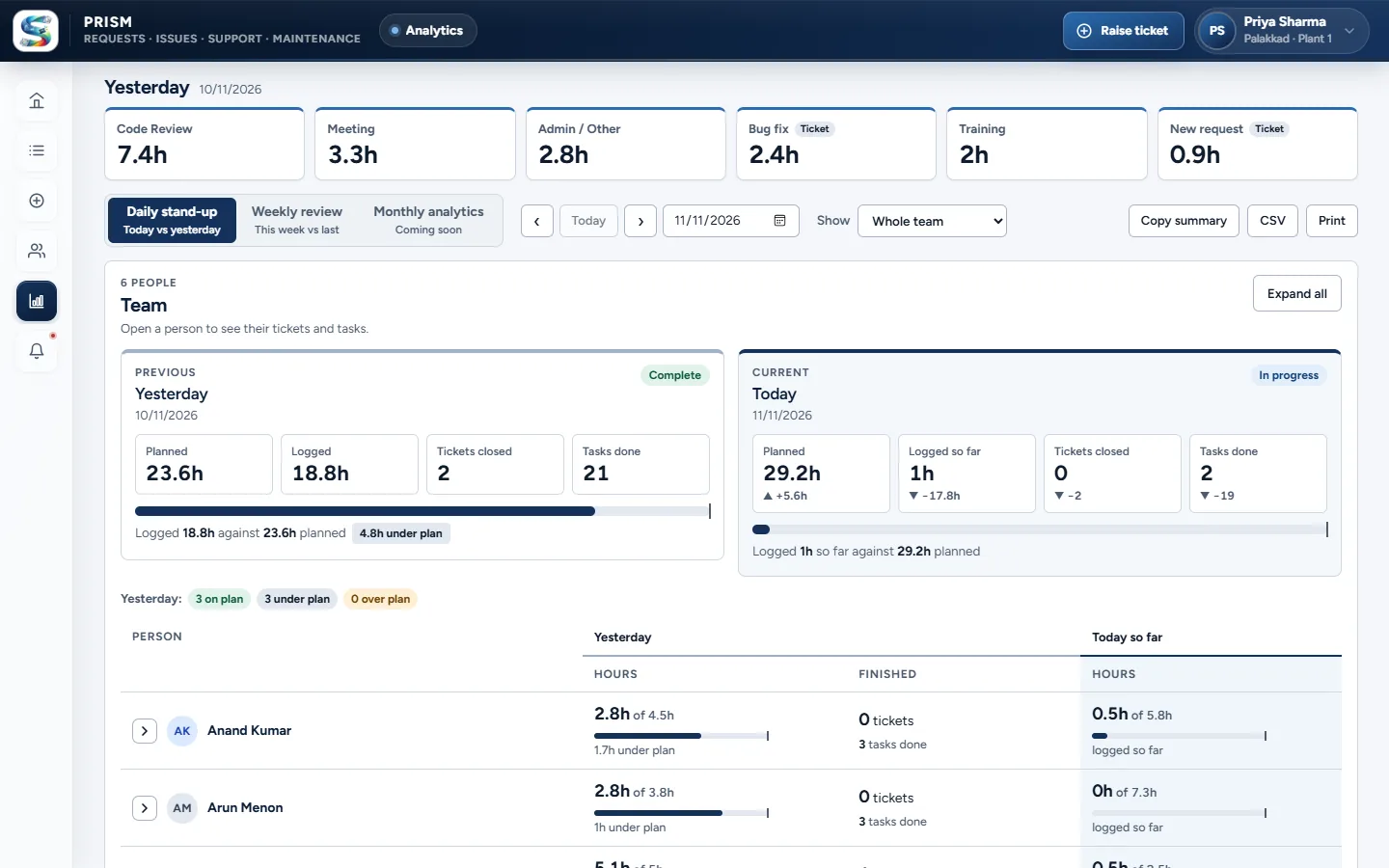 (opens full size in a new tab)
Daily stand-up report: planned against logged hours
Enterprise project. The screenshots are the real application running on a demo database with made-up people and tickets, and the company logo is hidden. The source code is private.
04 · Architecture
How the pieces fit together
PRISM · architecture
Interface
- React app · browser · PWA · Electron
Logic
- IIS reverse proxy · URL Rewrite + ARR
- Express API · role guards · services
- Overdue job · alerts every 15 min
Data
- PostgreSQL · via Prisma
- Uploads folder · ticket attachments
Services
- SMTP relay · ticket emails
Data flow
- React app → IIS reverse proxy (HTTPS)
- IIS reverse proxy → Express API (localhost)
- Express API → PostgreSQL (Prisma)
- Express API → Uploads folder
- Overdue job → PostgreSQL
- Express API → SMTP relay (email)
05 · What I built
Key features
01
Raising a ticket
A guided form: category, type, then application, module and page (or IT category), an assignee from the team it routes to, and a priority. Higher priorities need an impact reason. Attachments up to 15 MB are accepted, similar tickets are shown to avoid duplicates, and a lead can log a ticket on a requester's behalf.
02
Catalog-driven routing
The assignment group is resolved bottom-up: the deepest catalog node with a group wins, then its parents, then the category default. Admins set this up in a routing matrix and can preview the result.
03
A lifecycle with rules
Assigned, acknowledged, in progress, completed, validation and closed, plus parked and pending reallocation. Acknowledging needs an estimate and a start date, completing needs every task done with time logged, and every status change is recorded with who made it.
04
Validation, ratings and rework
The requester closes a ticket with a satisfaction answer and three ratings (quality, timeliness, communication), or asks for rework, which closes the original and opens a linked ticket for the same assignee.
05
Planning and time tracking
A weekly task board, a calendar where work is dragged into day slots or placed in the next free slot, one running timer per person plus manual entries, subtasks, recurring tasks, and split and carry forward for work that runs over.
06
Lead views
A dashboard of the queue, tickets waiting for reallocation and attention flags; team workload measured against each person's daily capacity; and a shared team calendar and task list.
07
Reports
A daily stand-up, weekly review and monthly review that compare planned with logged hours, and a monthly hours report with breakdowns by day, type, category and person. Reports export to CSV or print, and ticket and task lists export to Excel.
08
Notifications and collaboration
Thirteen kinds of in-app notification with an unread count, overdue alerts raised by a background job every 15 minutes, and optional emails with links back into the app. A member can invite a colleague onto a ticket or a task.
09
Administration
Admins manage the catalog (applications, modules, pages, IT categories), priorities and impact reasons, users (including bulk import from CSV or Excel), assignment groups and routing. Anything already in use is deactivated rather than deleted.
10
Security and reliability
JWT in an HTTP-only cookie with sliding sessions, a CSRF header on every state-changing request, rate limits on the API and on failed sign-ins, Helmet with a locked-down CSP, and per-record access checks on top of role checks. Operations that can race run in serializable transactions with retry.
11
Delivery
Routes are lazy-loaded so each role downloads only its own screens. The app installs as a PWA and has an Electron shell for Windows. In production it runs on IIS, which proxies to the Node process on localhost so the API is never directly reachable.